Run the local stack once you are ready to test your own URLs.
Use Quick Start when you are ready to turn the sample product tour into a first real local win: your own URLs, real compare output, and the same evidence-first route. If you still need trust before setup, read Proof next. Builders stays the specialist route for coding-agent wiring.
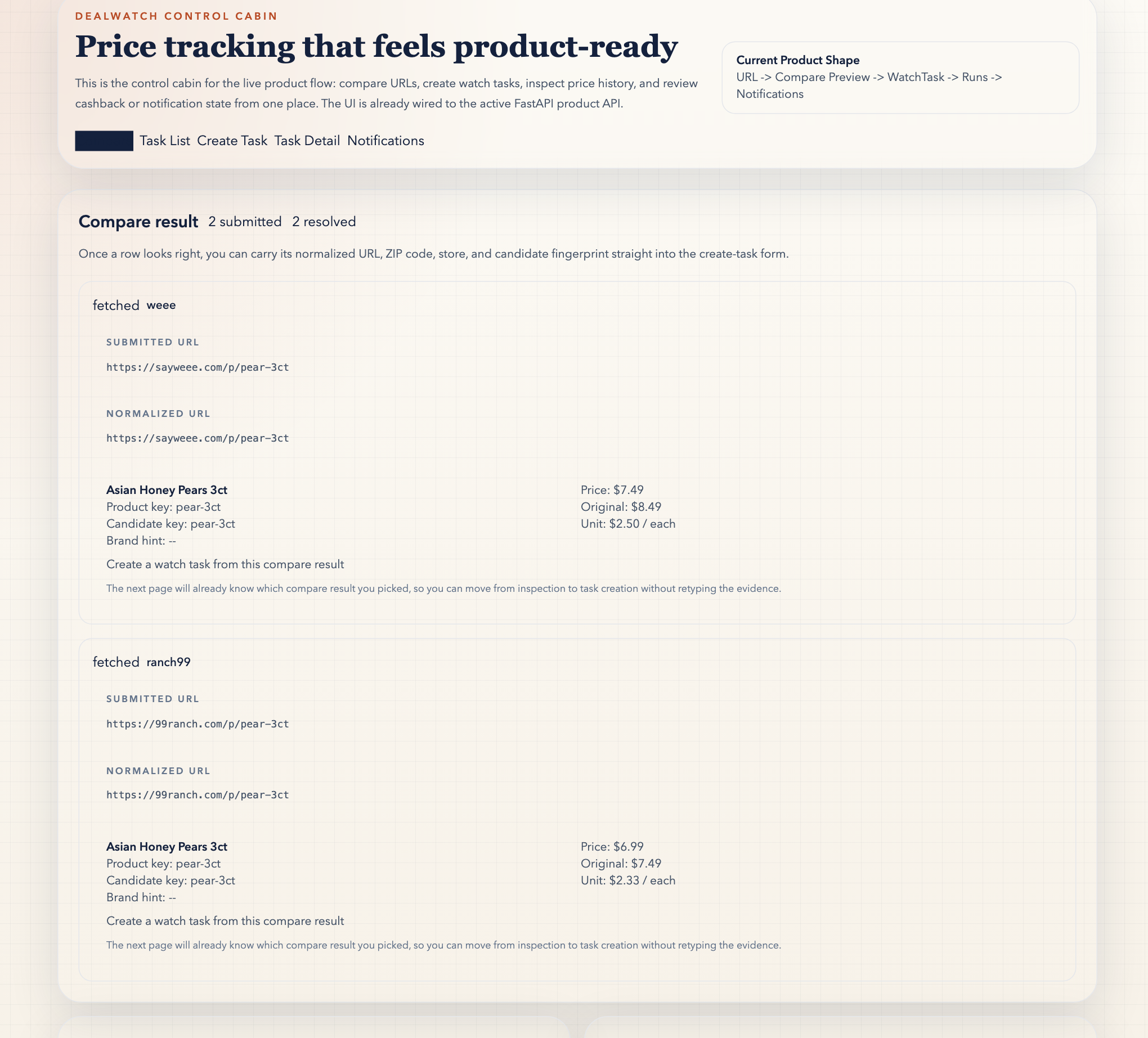
Start with Compare Preview, then move into the local runtime
Layer one is the sample compare preview. Layer two is the local stack for your own URLs. Builders is the separate route for coding-agent wiring. This keeps first contact lighter than a full manual setup wall.
1. Try the sample compare preview
Open Compare Preview
Click “Load sample compare”
Inspect match reasons
Remember: read-only, no data saved
2. Start the local runtime fast
./scripts/quickstart_stack.sh
3. Open the live Compare Preview route after the local runtime is ready
http://localhost:5173/#compare
4. Use your own URLs
Use your own grocery product URLs,
or copy the public sample URLs from
the README quick-start section.
What success looks like after the stack starts
The first local win is not "Docker started." It is "I can paste my own URLs, see normalized candidates and match reasons, and decide whether this should become durable watch state."
You landed on the live compare route
`http://localhost:5173/#compare` opens and the product still starts at Compare Preview instead of asking you to guess a durable task immediately.
You can see real match reasons
Your own URLs resolve into normalized candidates, scores, and why-like / why-unlike reasons instead of a blank setup page.
You know the next honest action
A good first run tells you whether to keep reviewing, create a watch task, or preserve compare context in a watch group. It does not ask you to trust the product blindly.
Manual local setup
Use this path if you want each process in its own terminal instead of the one-command Compose flow.
Bootstrap
python3 -m venv .venv
source .venv/bin/activate
./scripts/bootstrap.sh
cp .env.example .env
Start API and worker
source .venv/bin/activate
PYTHONPATH=src python -m dealwatch server
PYTHONPATH=src python -m dealwatch worker
Start WebUI
cd frontend
corepack enable
pnpm install
pnpm dev --host 0.0.0.0
Common pitfalls
These are the three most common reasons a first local run feels harder than it should.
Treating the sample compare as live product data
The sample compare preview is static and read-only. It exists to show the first step quickly, not to verify your own URLs or create watch tasks or watch groups.
No working product data connection
Make sure your local environment points at a working database before you expect durable task state. The proof page and repo docs are the right places to confirm the current runtime contract.
Corrupted local Docker volume after an interrupted run
If the local database fails to start cleanly after an interrupted container run, reset the quickstart state with `docker compose down -v --remove-orphans` and then rerun `./scripts/quickstart_stack.sh -d --build`.
Starting at the wrong page
Do not start by manually creating a task unless you already know the right target URL. Start at Compare Preview first.
Assuming Compare Preview writes data
Compare Preview is intentionally read-only. It validates candidate URLs before task creation, whether you are viewing the static sample or using the live local route.
Starting only part of the stack
The API alone is not the whole product loop. Run both runtime commands from the manual setup section if you want durable task state and recurring watch activity to behave normally.