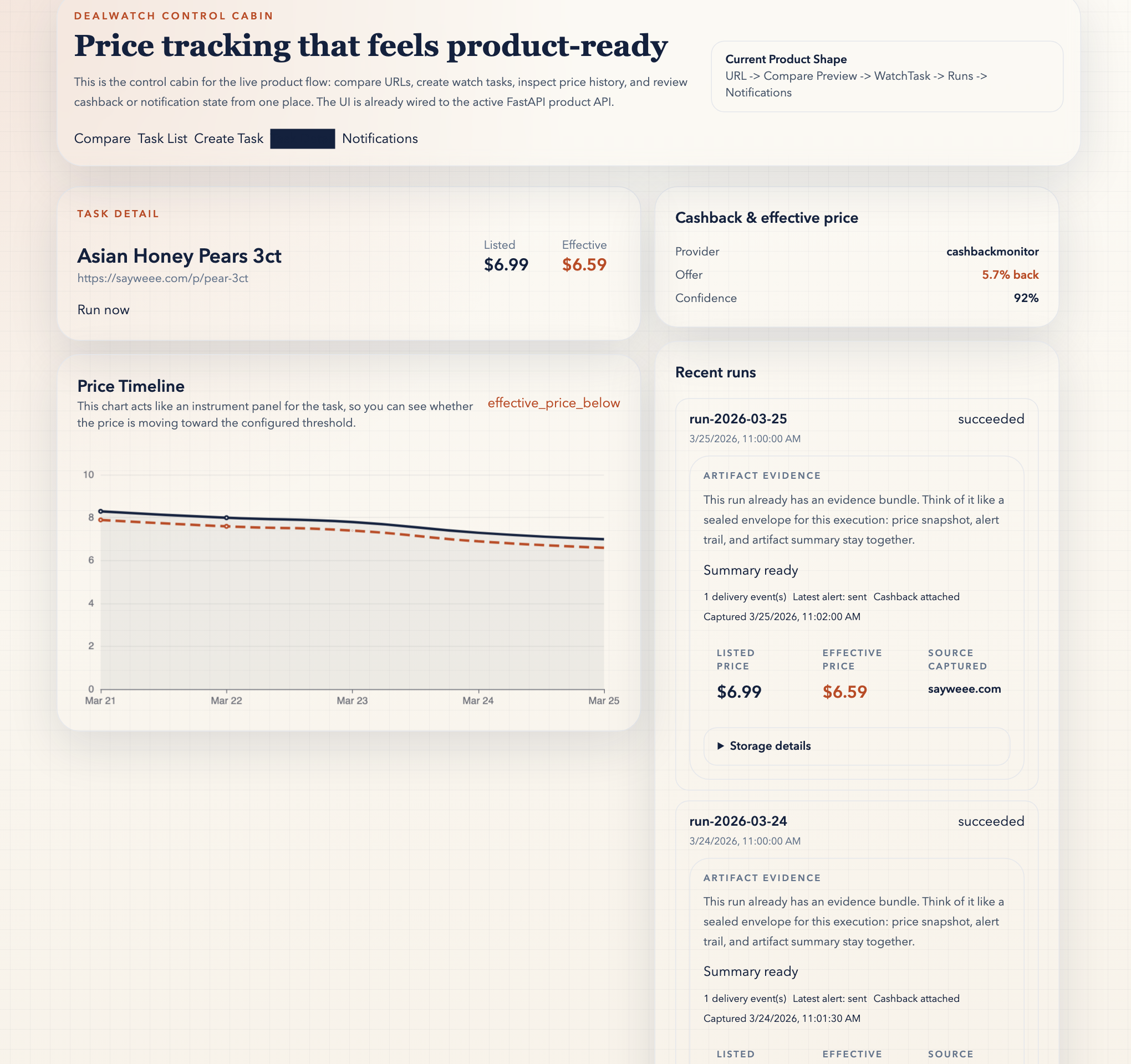
Review the run evidence
The task detail surface keeps the price chart, artifact evidence, cashback, and delivery trail together.
Compare Preview exists because ordinary price trackers assume you already know the right product URL. DealWatch starts one step earlier: validate the candidate, compare across stores, inspect deterministic evidence plus AI-assisted explanation, and only then decide whether the row deserves a watch task or a compare-aware watch group.
AI-assisted explanation stays on top of deterministic evidence. These public pages are read-only proof surfaces, not hosted automation.
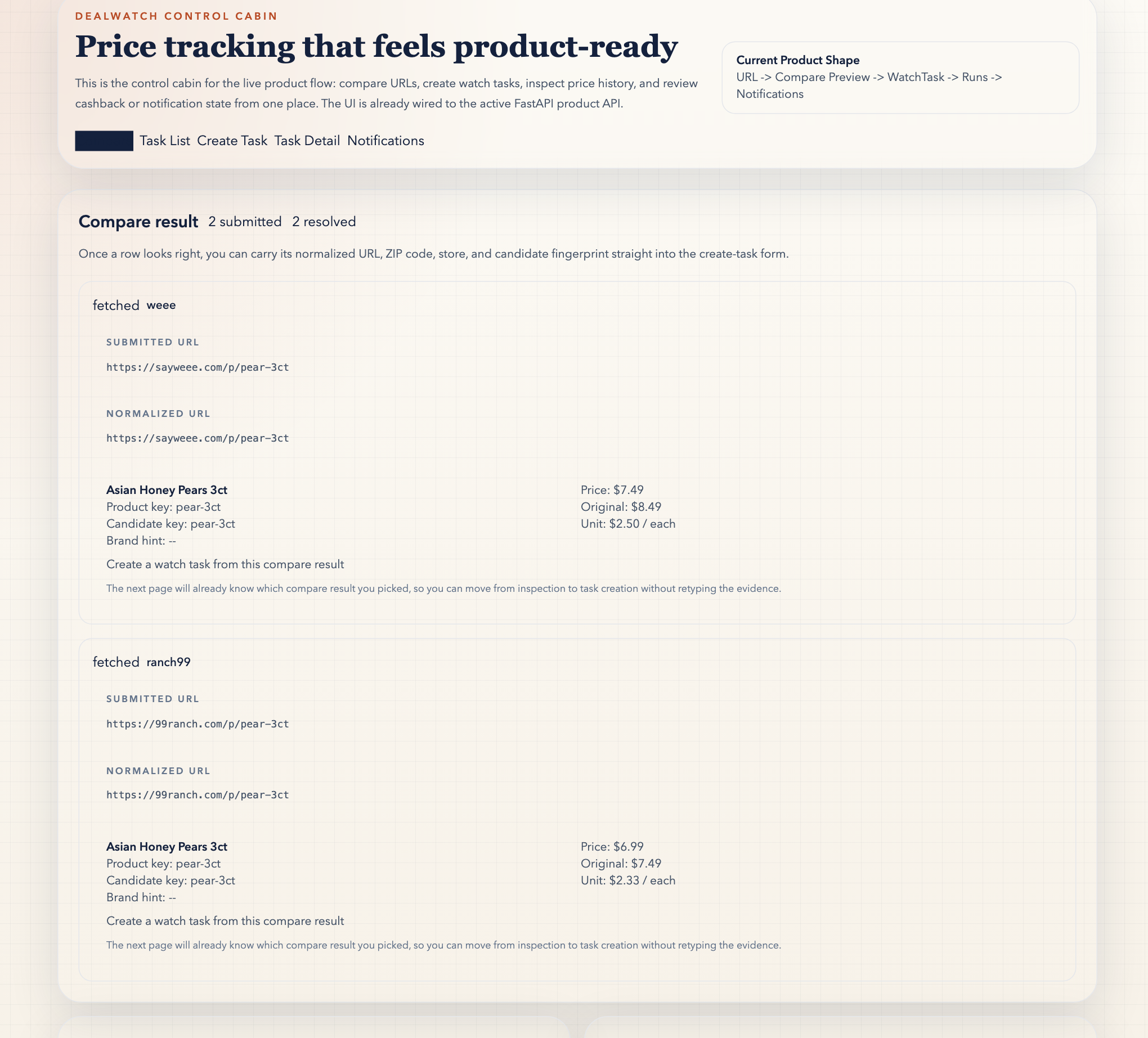
Static evidence beats a cropped walkthrough here: this hero shows the same full Compare Preview state the sample fixture renders below.
The page should make the product feel legible before you ever bring up the local stack.
This public sample loads a fixed compare fixture from the site itself. It is static, read-only, and saves nothing. Its only job is to show the first product step in under a minute.
Load the sample compare to inspect a fixed public fixture. Read-only. No data is saved.
The UI shows whether each submitted URL was supported and fetched successfully.
Match score and normalized candidate details make the compare decision visible instead of implicit.
The whole point is deciding whether the candidate deserves a durable watch task at all, or whether it should stay in a long-lived compare-aware group.
Once the static sample makes sense, most visitors should read Proof next, then move into Quick Start when they want their own URLs. Builders is the specialist route for read-only agent/client wiring after the product story is already clear.
Use Proof when you want the command, verifier, and boundary map behind the public story before you install anything.
Use this path when the sample and proof already make sense and you want the local API, worker, and WebUI for your own grocery URLs.
Use Builders when your real job is wiring the catalog, starter pack, and read-only agent-facing surfaces for Codex, Claude Code, and similar clients.
Compare Preview is the first proof surface, not the whole product. A strong public story should also show where the picked candidate lands next.
The task detail surface keeps the price chart, artifact evidence, cashback, and delivery trail together.
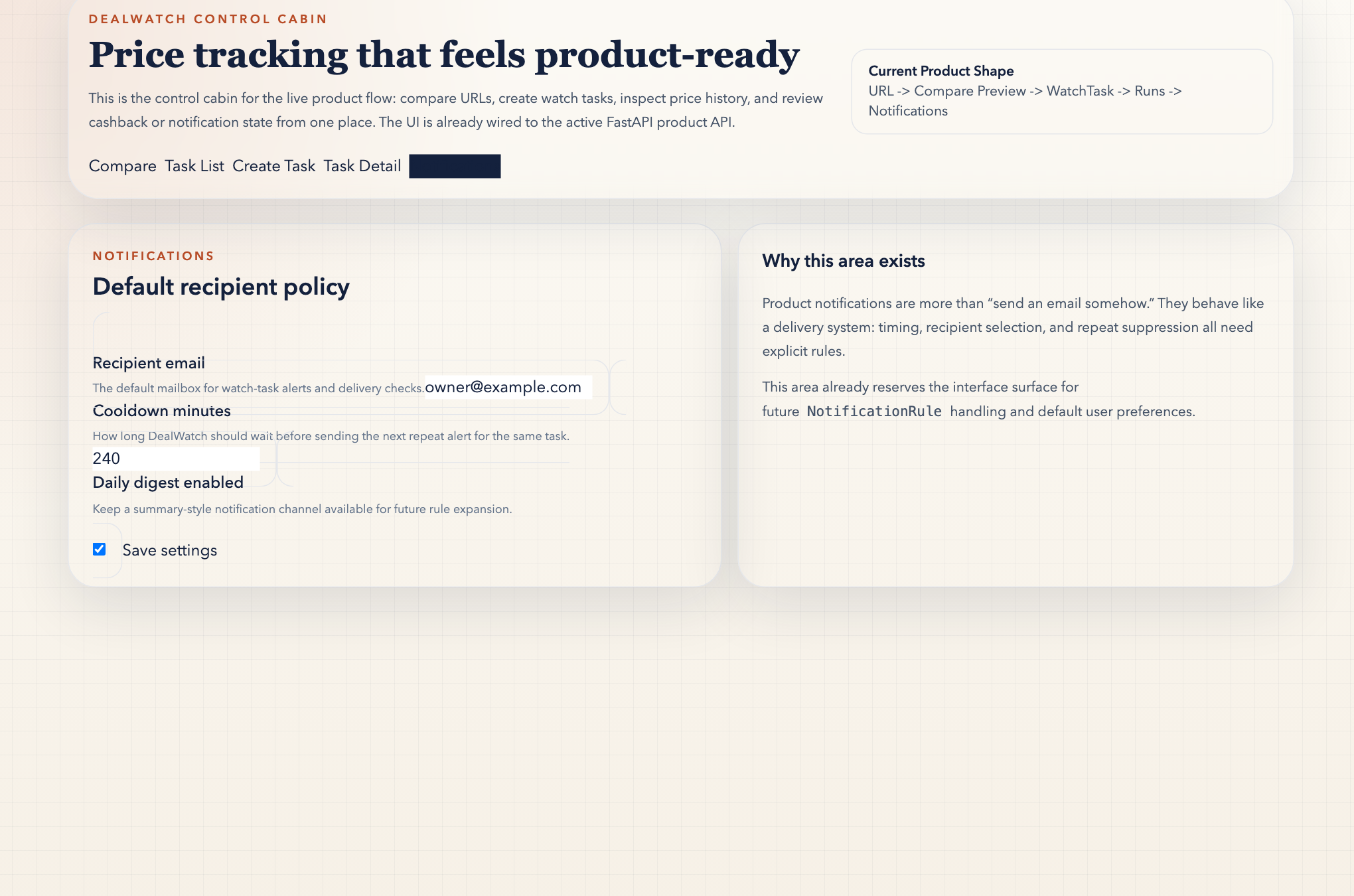
Notification settings explain how the compare-first decision turns into a sustainable alert loop instead of one-off clicks.