Compare-first control tower

Compare ChatGPT, Gemini, Perplexity, Qwen, and Grok from one local side panel.

Prompt Switchboard is a local-first browser extension and browser-side control tower that fans one prompt out to multiple supported AI chats, lines the answers up side by side, and keeps the trust boundary inside your browser.

Developers who already use Codex or Claude Code in the browser can also connect the governed MCP sidecar for compare, retry, export, analyst, and next-step workflow actions without turning this workspace into generic browser automation or a hosted agent platform.

The supported install path today is the packaged GitHub Release zip. Browser-store submission materials are being kept ready, but GitHub Releases remains the supported install surface today.

Local-first No hosted relay Uses your existing sessions Compare side by side Readable local exports Codex / Claude Code via MCP
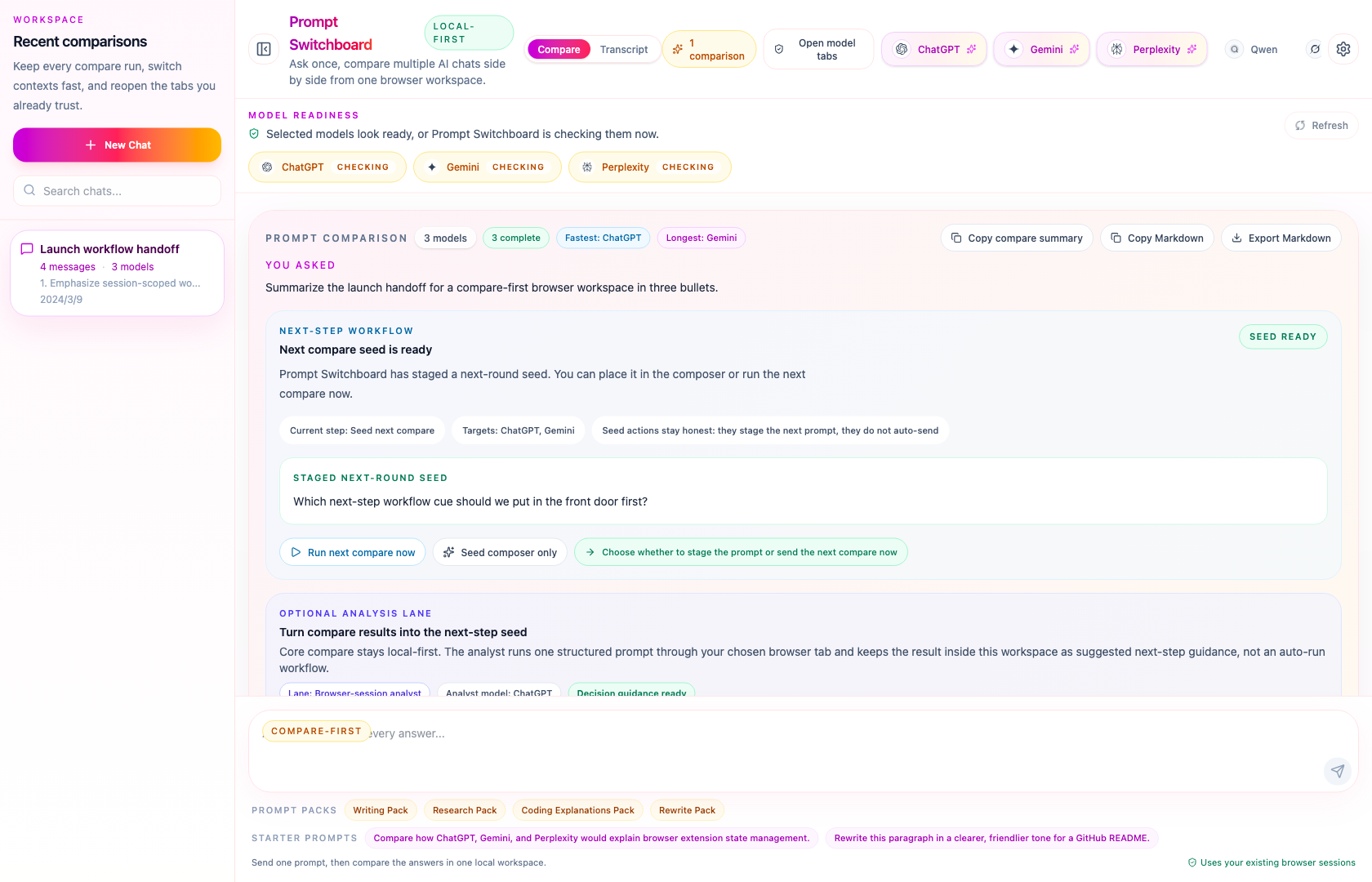
Prompt Switchboard compare view showing one prompt and multiple AI responses side by side.
Builder surface

Works alongside Codex, Claude Code, and broader MCP client workflows.

The primary product story stays compare-first. The MCP sidecar is the secondary builder lane: a governed local surface for Codex and Claude Code browser workflows first.

This repo now also ships starter-kit generic MCP assets for OpenCode and OpenClaw. Those paths are real and usable, but they still stay narrower than the verified Codex and Claude Code host lanes.
Why people star it

The front door leads with outcomes, not framework trivia: one prompt fan-out, a readable compare board, honest local-first boundaries, and a clean path from install to first answer.

Compare responses side by side

Line up model answers in one board instead of bouncing between tabs and losing context.

Keep everything local in your browser

No hosted relay, no extension account layer, and no extra trust hop between you and the sites.

Reuse the AI tabs you already use

Prompt Switchboard works with the sessions you already keep open on supported AI chat sites.

Export and restore sessions without a backend

Keep your compare runs portable with import/export support inside the extension settings.

Use cases that fit the product

These pages exist to answer a real user question, not to create empty SEO surface. Each one points back to a workflow Prompt Switchboard can actually support today.

Compare ChatGPT vs Gemini vs Perplexity

Use one local compare board when you already trust the browser tabs and want the same prompt aligned across them.

Open the compare use case

Best AI for rewriting text

Run the same rewrite prompt side by side and keep the strongest edit in view without rebuilding context by hand.

Open the rewriting page

Best AI for coding explanations

Use one browser workspace to compare debugging explanations, architecture summaries, and trade-off framing.

Open the coding page

Why local-first AI comparison matters

See why Prompt Switchboard stays inside the browser instead of adding a hosted relay between you and the tabs you already trust.

Open the local-first page

Prompt Switchboard for Codex and Claude Code

See how the local MCP sidecar gives MCP-capable coding agents a governed compare, analysis, and next-step workflow surface.

Open the MCP agents page

What changes in practice

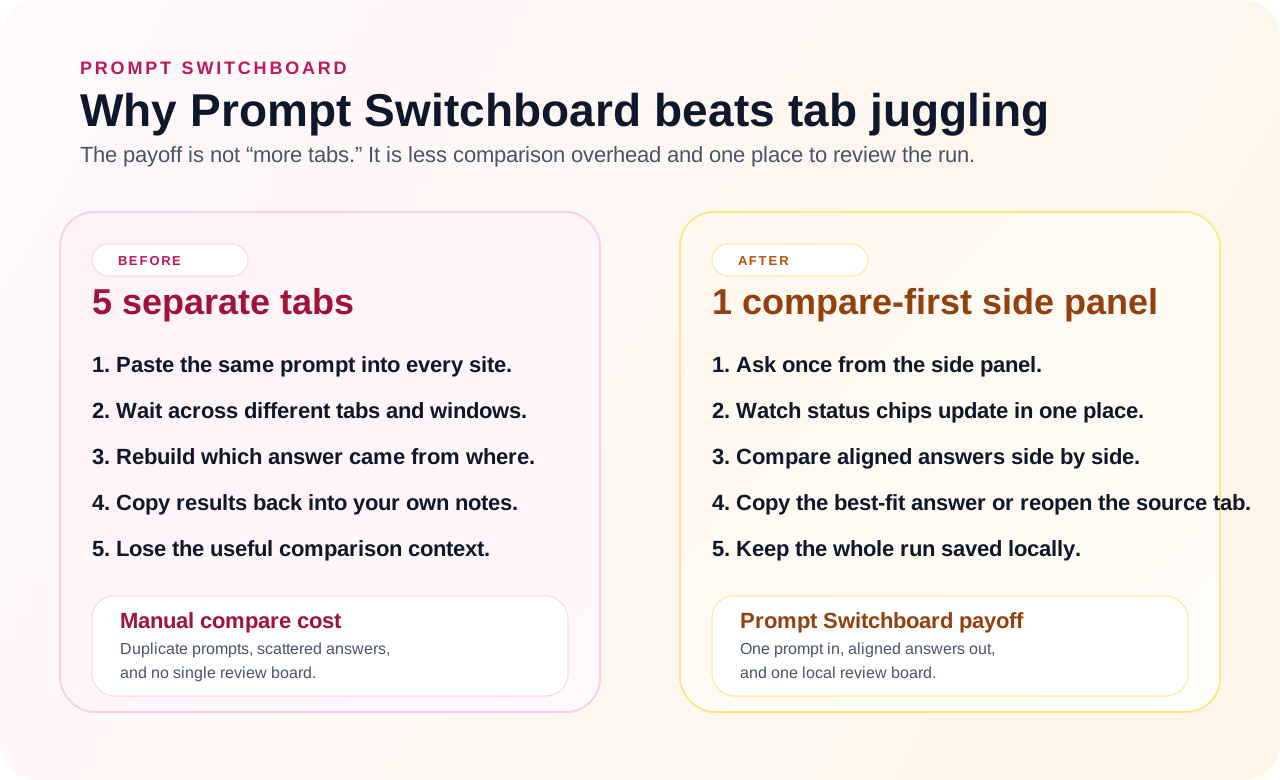
The strongest evidence is not a vague promise about AI productivity. It is the before-and-after of the comparison workflow itself: less tab juggling, less copy-paste, and one place to review the run.

Before and after diagram showing manual multi-tab comparison versus Prompt Switchboard's single local side panel workflow.

Manual comparison means duplicating prompts, waiting across tabs, and rebuilding context by hand. Prompt Switchboard reduces that overhead to one prompt fan-out, one compare board, and one saved local session.

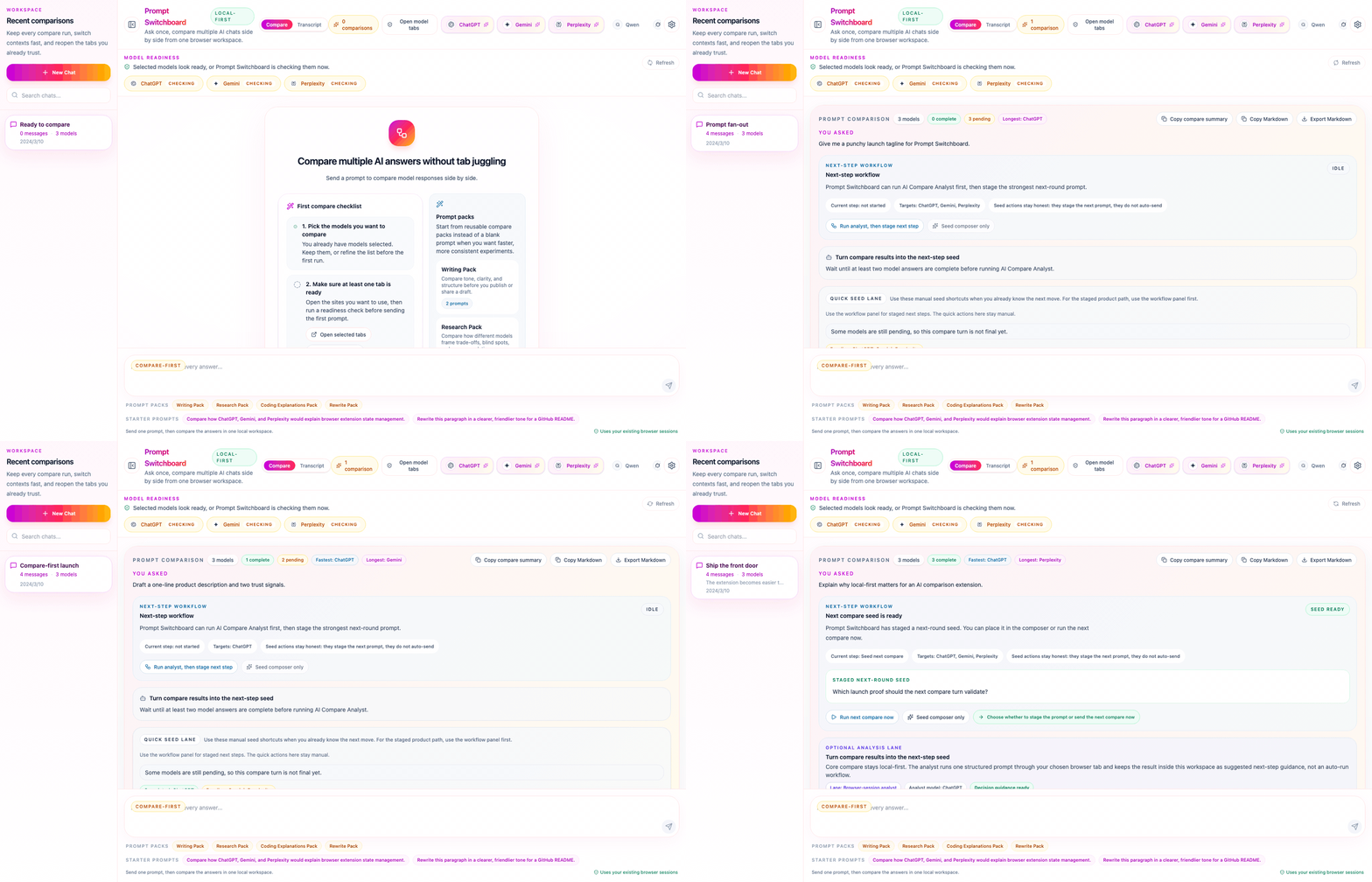
Animated Prompt Switchboard demo showing the compare-first flow from empty state to completed multi-model answers.

The demo flow now shows the extension moving from ready state to compare fan-out to staged next-step workflow and completed side-by-side results.

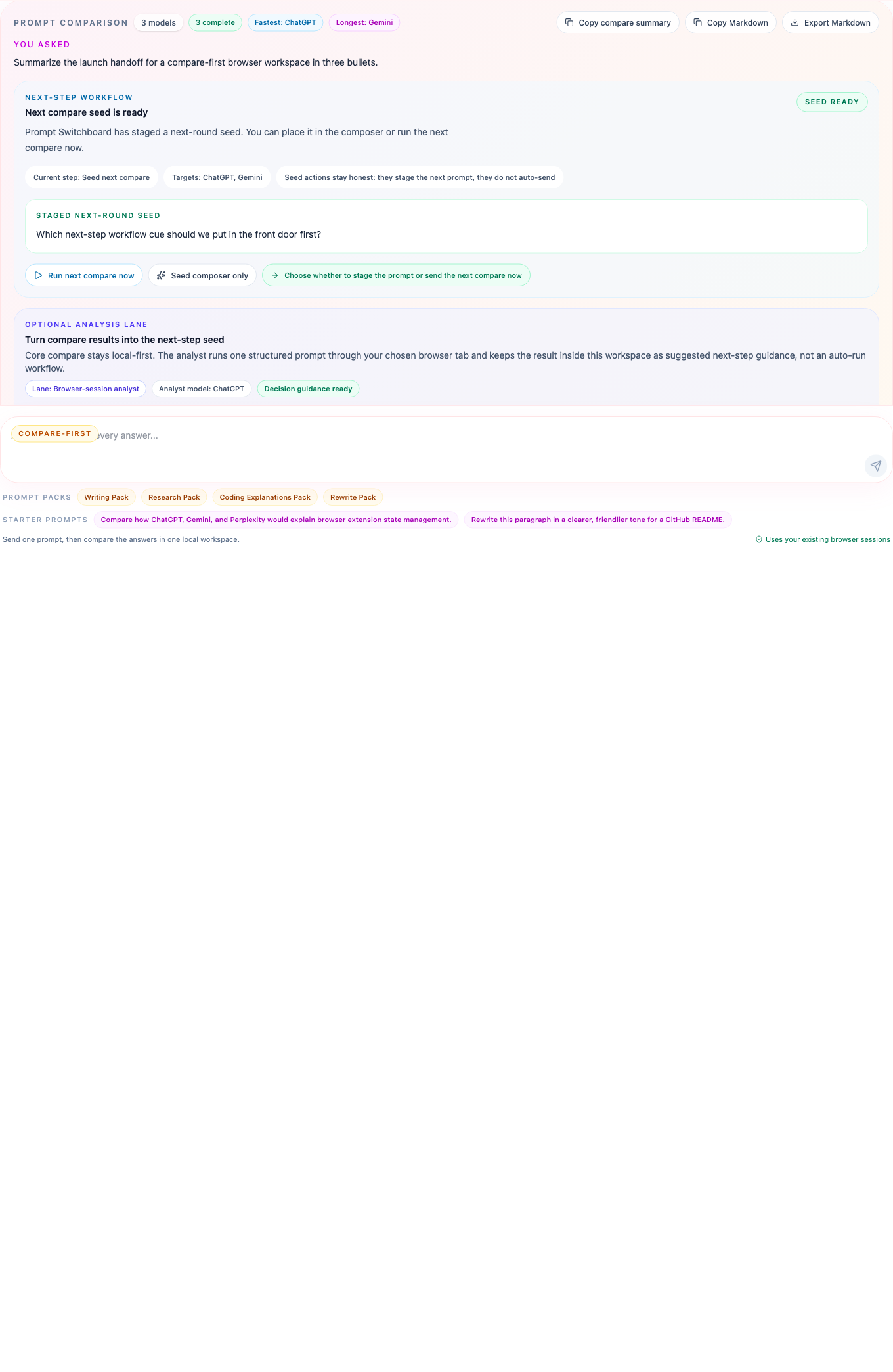
Prompt Switchboard compare detail with model cards, status chips, copy action, and open-site action.

The compare board now keeps next-step workflow, analyst guidance, model status, copy actions, and source-site shortcuts clear in one turn-level surface.

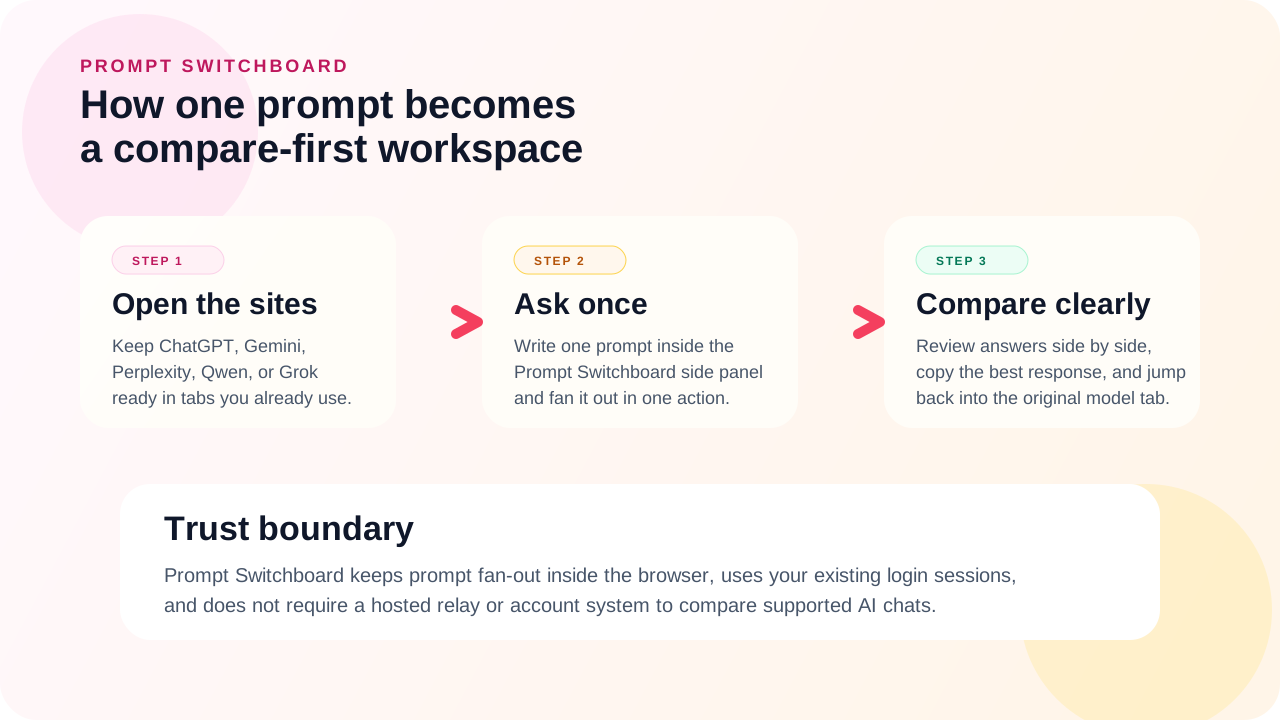
Diagram showing Prompt Switchboard workflow: open supported sites, ask once, compare clearly, while staying local-first.

One browser-side workflow: open the supported sites, ask once from the side panel, and compare the answers without leaving your workspace.

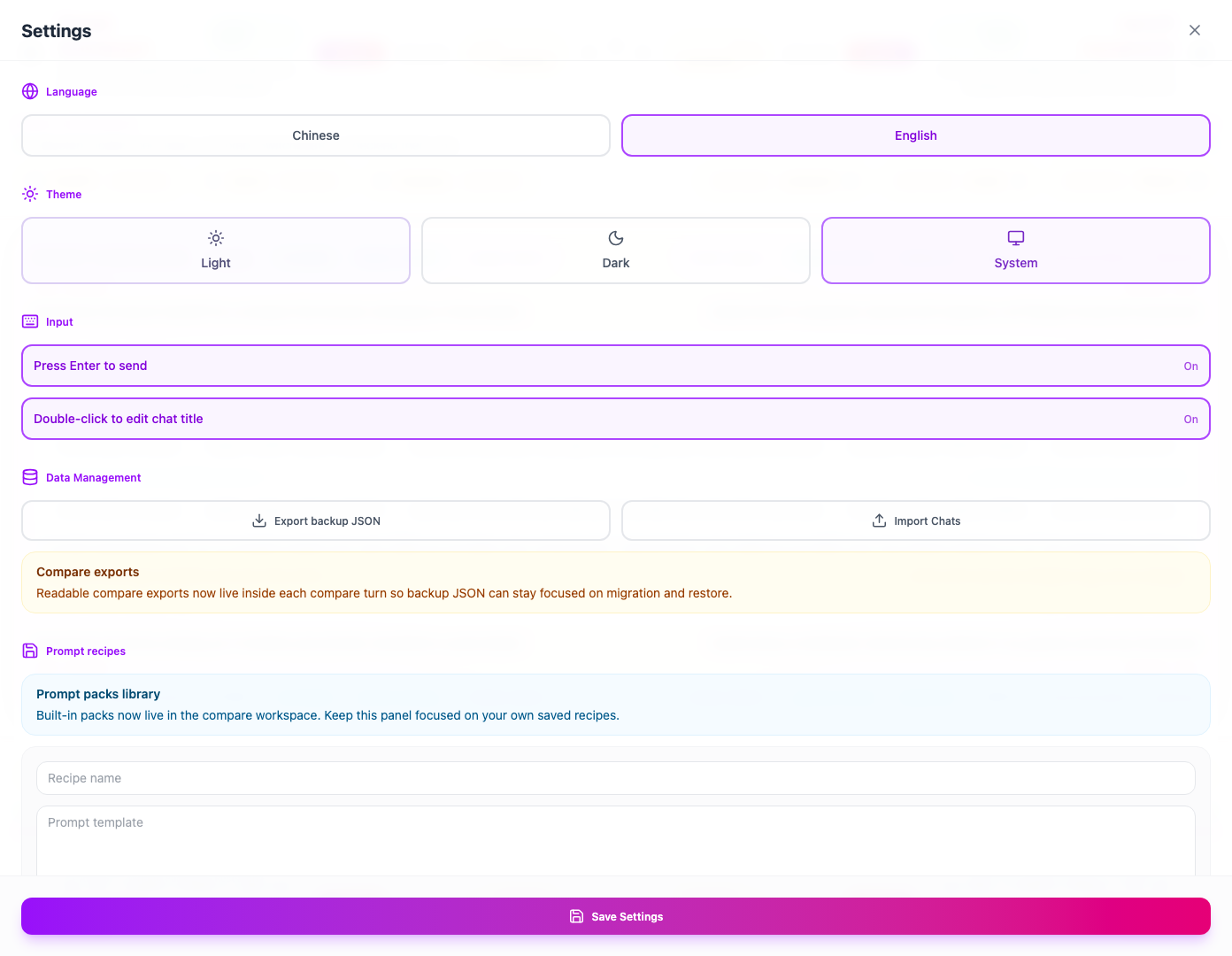
Prompt Switchboard settings view with data export, import, language, theme, and keyboard preferences.

Settings keep the surface polished for real use too: import/export, language, theme, and input behavior live in one panel.

First-answer path

Install the latest build

What you need first: a Chromium-compatible browser with Developer Mode and at least one supported AI chat tab already open and signed in inside the same browser profile where you load Prompt Switchboard.

  1. Download the latest packaged build from the latest GitHub Release and unzip it locally.
  2. Load the extracted folder as an unpacked extension in chrome://extensions with Developer Mode enabled.
  3. Open your supported AI tabs, ask one prompt, and compare every answer from the side panel.

Today the supported install path is the packaged GitHub Release zip. A lower-friction store install path is being prepared, but it is not live yet.

Need the local build, release, or asset workflow? Read CONTRIBUTING.md.