proof, not platform theatre
Use this page to understand what the archive shell really proves before you assign it more authority than it has earned.
The archive shell proof is the first public explanation layer after the CLI front door. It shows that transcript export, report routing, and governance evidence can already be organized into one inspectable reading surface. It does not turn the repo into a hosted product or a live remote service.
what this page is for
- Audience
- a first-time reviewer trying to separate proof from overclaim
- Main question
- What does the archive shell already prove today?
- Boundary
- local workbench proof, not a hosted runtime
what you should see
Read the artifacts first, then use diagrams as map legends.
Before this page earns the right to show diagrams, it should tell you what concrete things the shortest truthful path is supposed to leave behind.
artifact 01
One HTML transcript receipt
You should get a browsable transcript receipt inside .agents/Conversations/, not just a hidden export file.
artifact 02
One archive shell entrypoint
You should then get .agents/Conversations/index.html as the local navigation surface for transcripts, reports, and evidence.
proof boundary
Still local-only proof
Those artifacts prove a local workbench path. They still do not prove a hosted runtime, a remote service, or a live app shell.
visual proof assets
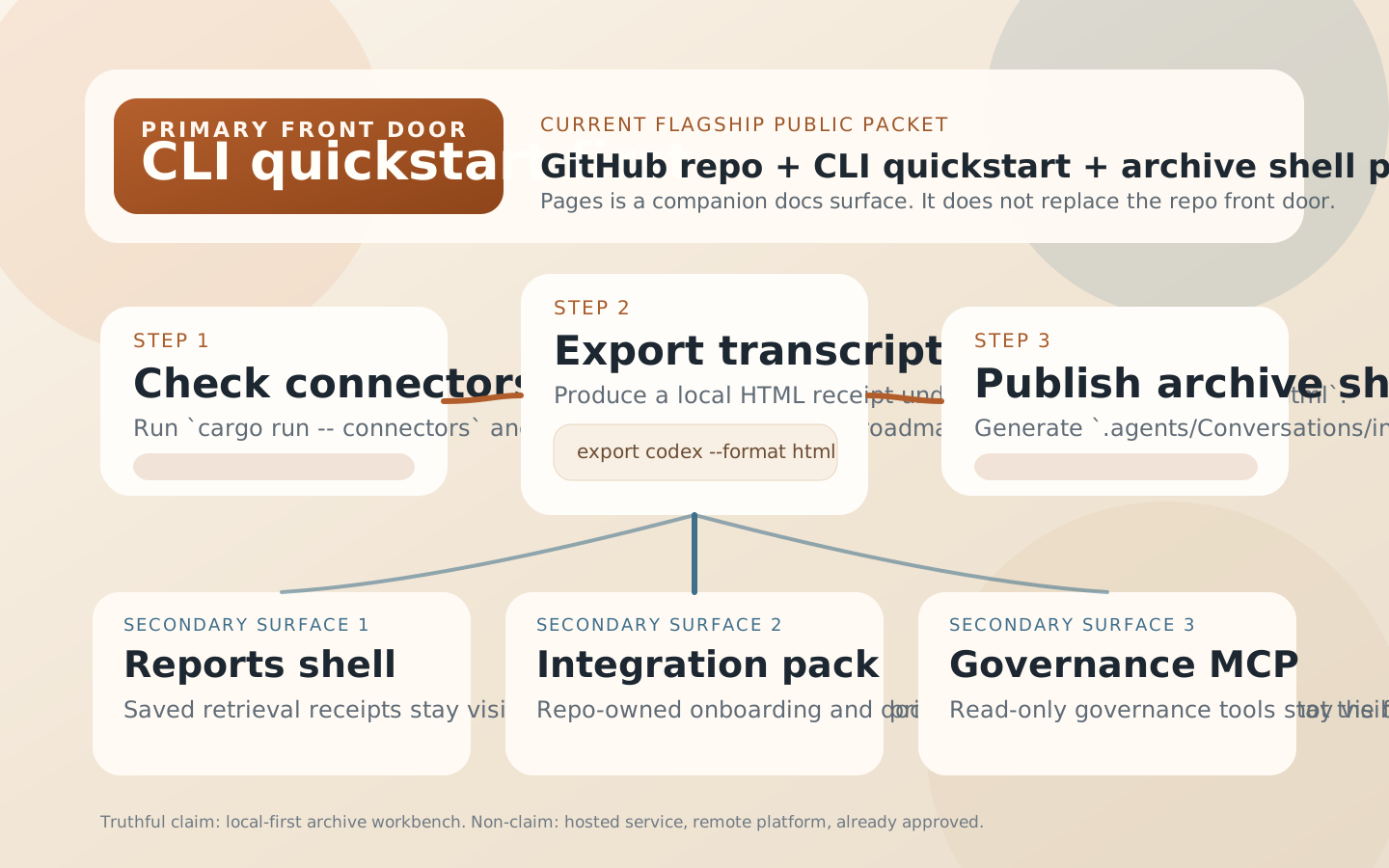
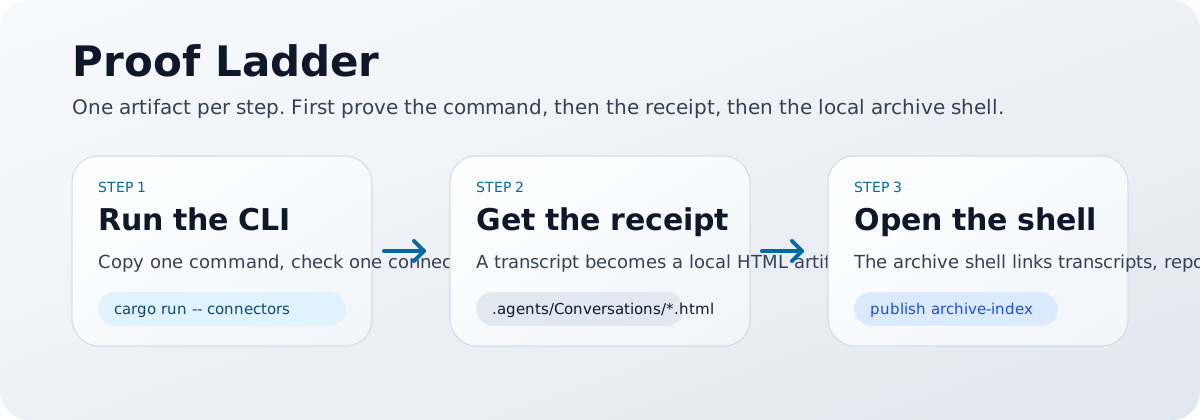
Two diagrams, two jobs.
The first diagram shows the workbench shape. The second shows the proof ladder from CLI to transcript receipt to archive shell. Read them like map legends after the artifacts, not like a product hype montage.
what this proof actually shows
Real local workbench proof.
- transcript export can become a browsable HTML receipt
publish archive-indexcan organize transcripts, reports shell, and integration evidence into one inspectable archive shell- the archive shell is already workbench proof: it can route a reader through local artifacts without pretending to be a hosted platform
what this proof does not show
Do not promote proof into product theatre.
- this is not a hosted product demo
- this is not a GitHub Pages live archive shell
- this is not a remote multi-user platform
- this does not automatically mean
submit-ready,listed-live, oralready approved
how to reproduce it locally
Three commands, one honest result.
Treat this like checking a lab result for yourself. Do not trust the diagram alone; run the path and inspect the artifacts it leaves behind.
Confirm source availability
cargo run -- connectorsYou confirm which transcript sources are actually available before you export anything.
Export one HTML transcript
cargo run -- export codex \
  --thread-id <thread-id> \
  --format html \
  --destination workspace-conversations \
  --workspace-root /absolute/path/to/repo
This leaves behind a concrete HTML receipt in .agents/Conversations/.
Publish the archive shell
cargo run -- publish archive-index --workspace-root /absolute/path/to/repoNow the transcript, reports shell, and integration evidence can be browsed as one local navigation surface.
After a successful local run you should see .agents/Conversations/*.html, .agents/Conversations/index.html,
and navigation paths from the transcript browser into reports shell and integration evidence.
proof ladder
Confidence should climb in order.
L1
CLI front door
The CLI can export a transcript through the truthful front door path.
L2
Transcript receipt
The export leaves a browsable HTML receipt rather than a hidden one-off file.
L3
Archive shell
The archive shell organizes transcript, reports, and evidence into one navigable local surface.
next doors
After proof, choose the right frozen or reviewer-facing shelf.
This page explains what the archive shell proves. Once that question is answered, the next question is usually one of four: do you need the visual companion, the launch kit, the latest published packet, or the wider packet/listing ledger?
visual companion
Promo reel
Use this when you want the shortest visual walkthrough before you open the proof or quickstart layers in detail.
distribution-prep
Launch kit
Use this when the product story is already clear and you need truthful share-ready copy, asset routing, and packet-prep guidance.
Published shelf
Latest release
Use this when you need the newest frozen public packet rather than the newest repository-side wording on main.
Host reviewer lane
Local stdio host packet
Use llms-install.md and server.json when the question is specifically about host-side wiring and review packet truth.
Packet truth
Distribution packet ledger
Use the ledger when you need platform/listing status, not when you are still trying to understand the product itself.
when to open this page
You need a proof explanation, not a product tour.
Open this page when someone needs to understand the current proof boundary before evaluating reports shell, integration evidence, or governance lanes.
why this matters
Truthful product positioning depends on ordering.
AgentExport is already more than an export utility, but its first public proof still has to start with CLI quickstart, transcript export, and archive shell generation.