Build a first successful baseline before you ask the project to explain anything more complicated.
Operator first. Integration-ready only after the loop feels obvious.
Step 1
Run one snapshot and let macOS show the real permission prompts.
Step 2
Install the loop so backups stop depending on your memory.
Step 3
Verify the loop, then open proof and diagnostics with context.
Prove your Apple Notes backup loop in one local pass.
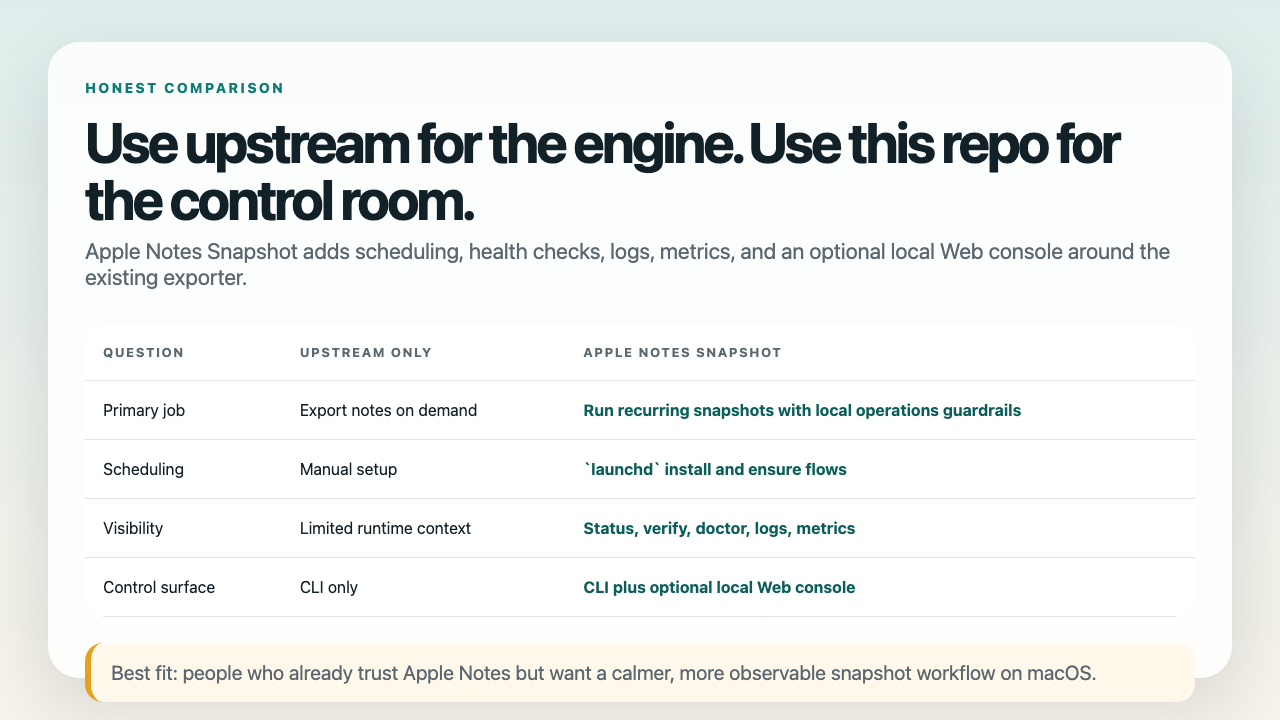
Apple Notes Snapshot keeps the upstream exporter, then adds the things operators actually need when the loop has to survive day two: an obvious destination, repeatable `launchd` scheduling, visible health checks, and a calmer recovery path when something drifts.
Start with one successful run, install the scheduler, then verify the loop before you read deeper telemetry. The Web console, proof page, AI Diagnose, the Local Web API, and the read-only MCP lane are real, but they should feel like second shelves after the operator contract already clicks.
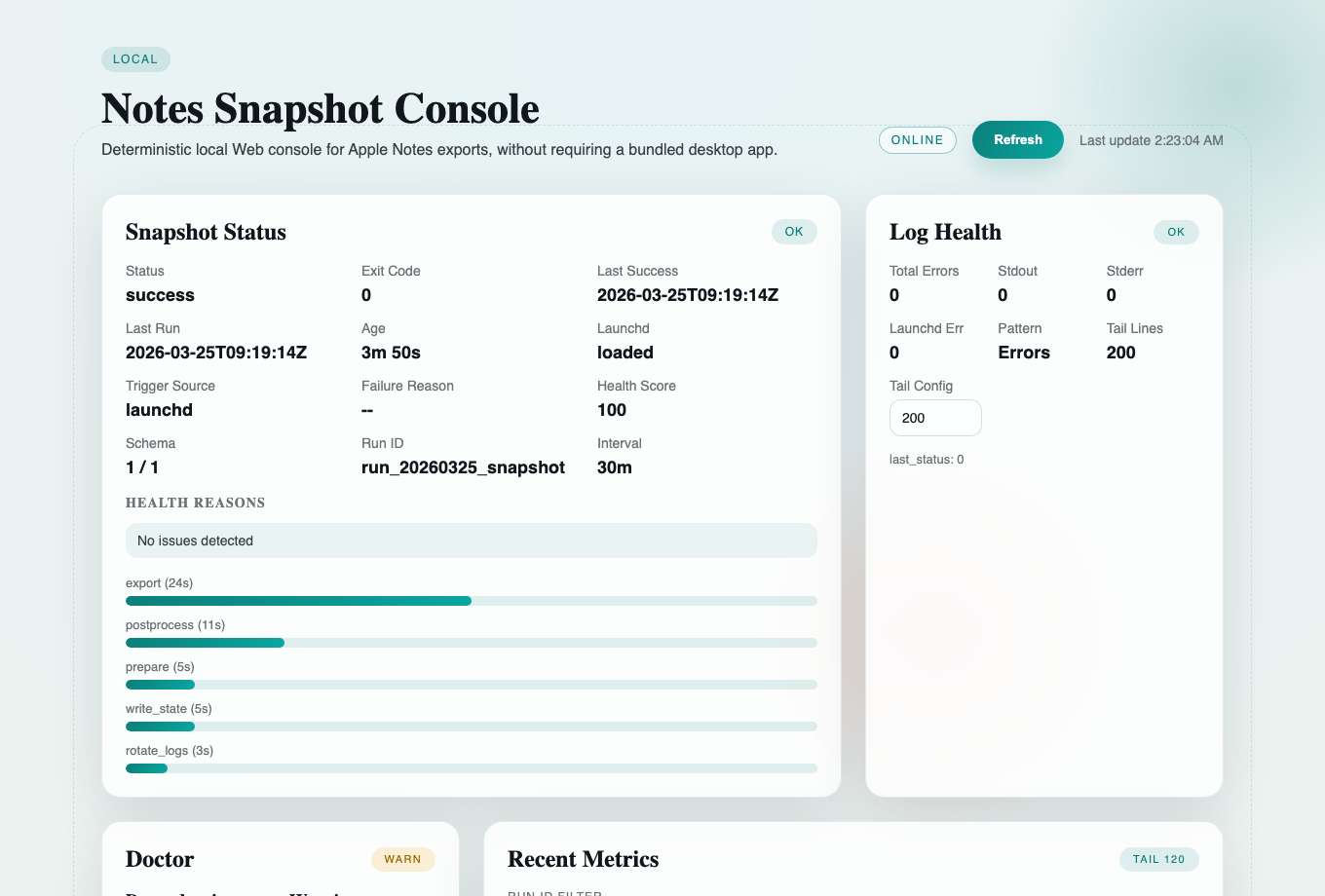
The console now leads with an operator focus deck before the raw action transcript, so the next safe move and the reading order stay visible when the loop drifts.
Use the built-in `launchd` lane once the first run works, then let the control room keep the rhythm visible.
Once `verify` passes, the status, logs, proof page, and integration surfaces describe a loop you already proved instead of a mystery you still need to solve.
1 entrypoint
`notesctl` stays the only human entrypoint you need to remember.
3 steps
Review the path, run one snapshot, then install and verify the loop.
2 support pages
Quickstart gets you moving and troubleshooting catches first-run snags before you drown in telemetry.
Integration later
AI Diagnose, Local Web API, and MCP are upgrades, not the first thing a new operator must decode.
Why people keep it starred
It makes the boring operational part of Apple Notes exports calmer.
Plenty of projects can export notes once. Far fewer make the destination, schedule, health surface, and failure modes easy to inspect after the first run.
Stop treating exports like a one-time manual chore.
Use `launchd` to keep Apple Notes snapshots running at a repeatable cadence without turning the project into a hosted service.
See whether your backup loop is actually healthy.
`status`, `verify`, `doctor`, log rotation, and metrics make the workflow observable instead of mysterious.
Read the next move before you read raw output.
The control room now puts a next-step deck above the transcript so operators can verify the right panel order before they trigger another fix.
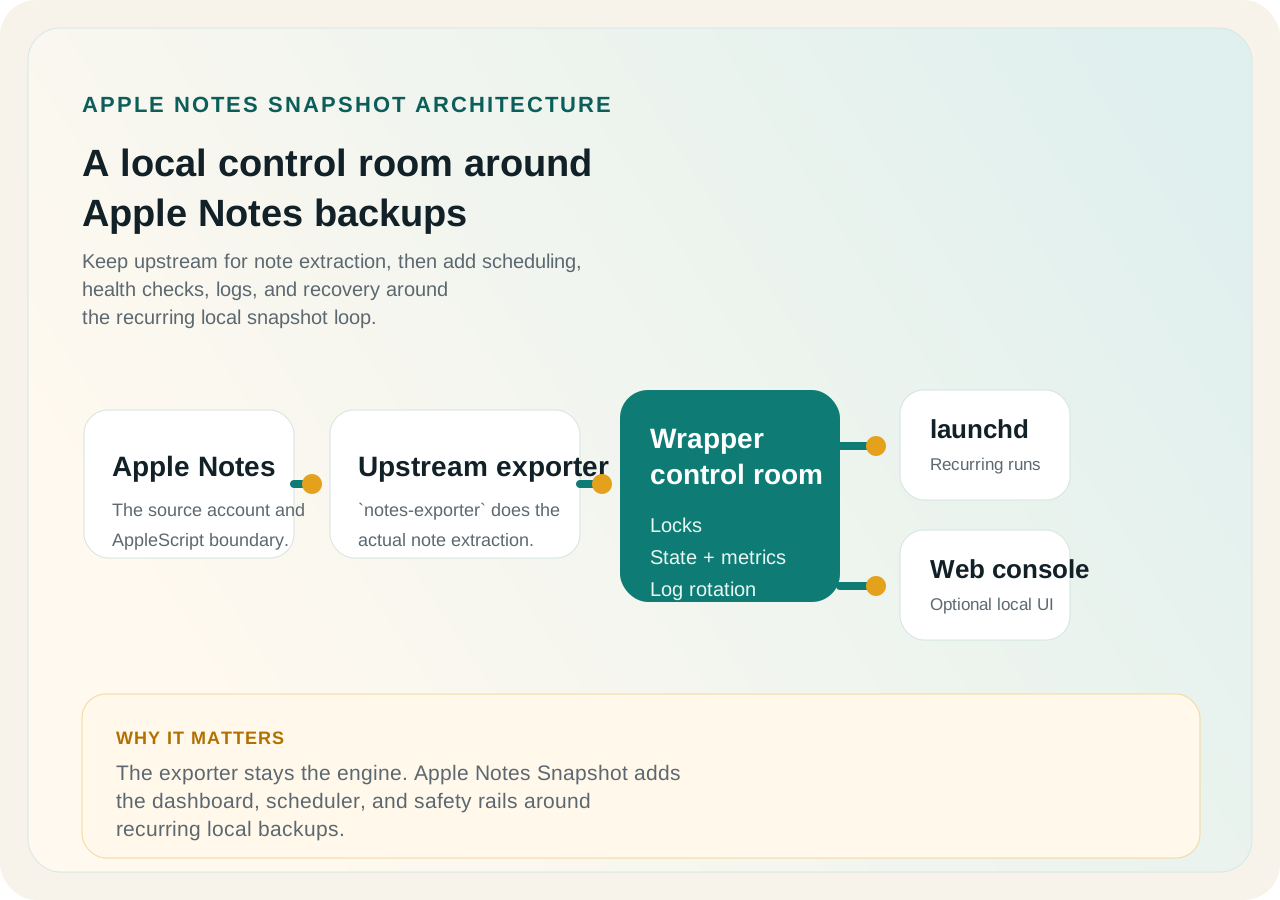
Keep upstream, add a visible local wrapper.
Locks, state files, vendor provenance, and an optional token-aware Web console give the exporter a reviewable operational shell.
Use this if you want repeatable local snapshots.
This project is for people who already live in Apple Notes and want a calmer, more visible backup workflow on macOS.
- Personal note archives
- Local automation lovers
- People who want logs and freshness checks
It is not a cloud notes platform or a two-way sync engine.
Apple Notes Snapshot does not try to become a hosted SaaS, a cross-platform sync layer, or a team collaboration product.
- No hosted backend
- No multi-user SaaS promises
- No write-back sync to Apple Notes
See the shape
The workflow stays simple, even when the operations surface grows up.
Founder-style short note
Why this project feels different from "just another shell wrapper"
The real problem is not exporting notes once. The real problem is trusting a local workflow six weeks later, after checkout paths changed, logs piled up, or the last successful run is no longer obvious. Apple Notes Snapshot exists to make that second problem boring.
Browse the longer notes in the founder note and the 30-second overview. If you are turning the current repo state into a release note, announcement, or demo post, use the external launch prep packet.